
HubSpot Free CRM: What’s Actually Locked Behind Paid Plans (2026)
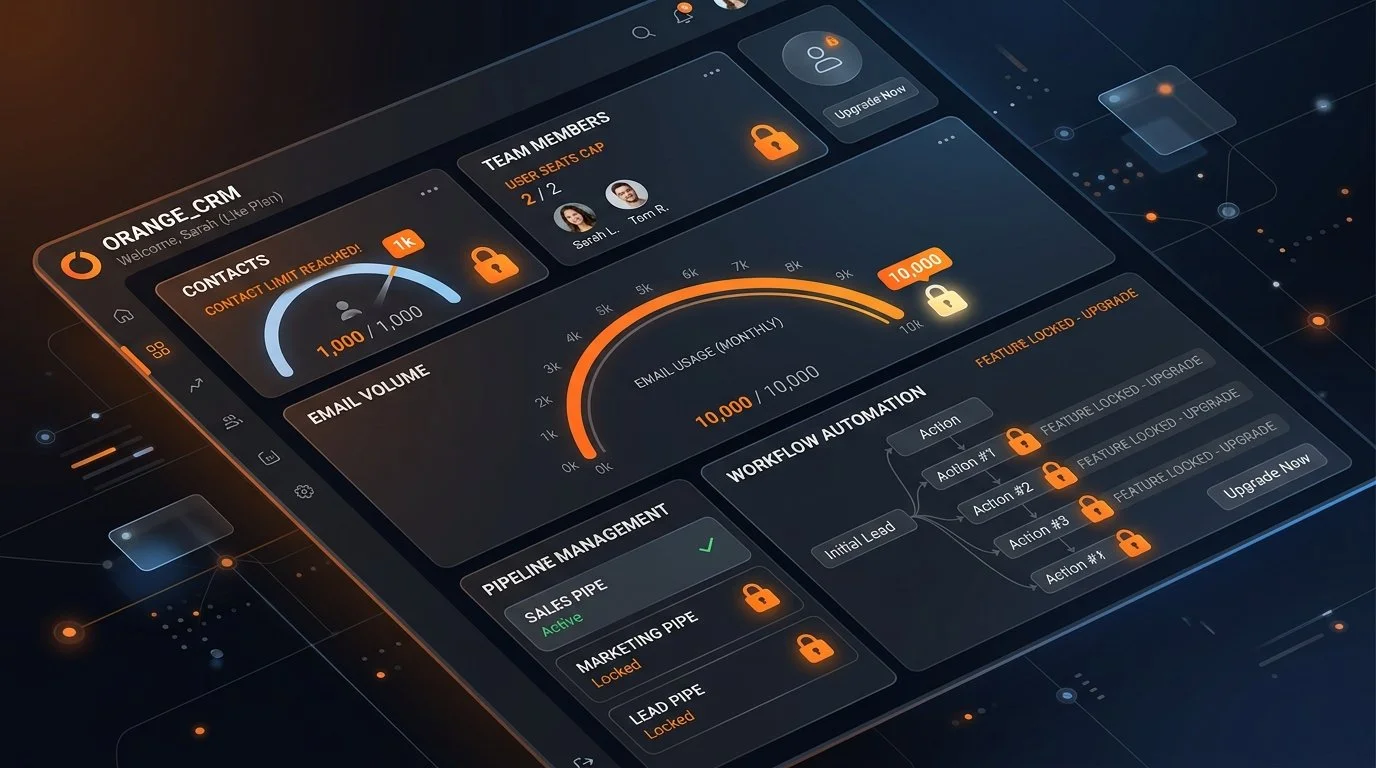
Yes, HubSpot’s free CRM is genuinely free forever — it isn’t a 14-day trial designed to shut you out. But if you’re expecting the unlimited playground described in older reviews, you’re in for a rude shock. For any account created after late 2024, HubSpot quietly slashed its headline contact cap from 1,000,000 down to 1,000, and several core features hit hard ceilings surprisingly fast.
The “1 Million Free Contacts” Myth (What Changed)
If you search for HubSpot free CRM reviews today, half of the articles on the first page still repeat the exact same claim: “HubSpot lets you store up to 1,000,000 contacts for free!”
That used to be true. It was one of the most generous loss leaders in SaaS history. But in September 2024, HubSpot overhauled its pricing model and introduced a strict 1,000 total contact limit for new free accounts. If you created your workspace years ago, you might be grandfathered into older allowances. But if you sign up today, 1,000 contacts is your hard ceiling.
That change transformed the free CRM from a tool you could comfortably run a growing business on for years into a tactical sandbox. It’s still useful, but the runway is dramatically shorter.
What’s Actually Free (Giving Credit Where It’s Due)
Before breaking down the restrictions, let’s be fair: what HubSpot gives away without asking for a credit card is still remarkably polished. For a solo freelancer, consultant, or two-person partnership, the free tools cover essential daily operations:
- Core CRM Database: Contact records, company profiles, deal tracking, and customer support tickets with complete chronological activity timelines.
- Email & Calendar Integration: Direct two-way sync with Gmail and Microsoft Outlook. You can log emails, track opens and clicks in real time, and schedule meetings through a shareable calendar link.
- Lead Capture: Embedded forms, pop-ups, and a customizable live chat widget you can install on WordPress or any custom site.
- Basic Email Marketing: Drag-and-drop newsletter builder with pre-designed templates and basic list segmentation.
- Mobile App: Full iOS and Android apps with business card scanning, caller ID, and contact management on the move.
For basic lead logging and deal tracking, it works smoothly. The friction begins the moment your daily volume expands.
The 7 Hard Limits on HubSpot Free CRM
Here is the exact breakdown of where HubSpot draws the line between free utility and paid upgrades:
1. Contacts: 1,000 Cap & The “Marketing Contacts” Trap
New free portals are limited to 1,000 total contacts. Furthermore, HubSpot separates general database contacts from marketing contacts (contacts eligible to receive bulk marketing broadcasts). On the free tier, once your list crosses 1,000 records, you cannot send marketing emails to the overflow or import new lists without upgrading to a paid Marketing Hub plan.
2. Users: Capped at 2 Core Seats
The free tier allows up to 2 users with full edit permissions. If you bring on a third team member — whether a sales rep, an assistant, or a partner — you cannot simply create another free seat. You must upgrade to a paid Starter seat (typically starting around $20 per seat per month).
3. Deal Pipelines: Exactly 1 Pipeline
You get one visual Kanban sales pipeline. If you sell a single product or service through a uniform sales process, one pipeline is fine. But if you handle distinct revenue streams — like B2B consulting, product sales, partnership deals, or client renewals — you cannot create separate pipeline stages. Everything must be crammed into one board.
4. Custom Properties: 10 Custom Fields
Every business collects unique data points: renewal dates, industry niches, software licenses, or referral sources. HubSpot Free allows only 10 custom properties across your entire portal. Once you use those 10 slots, you must delete an existing field or upgrade.
5. Marketing Emails: 2,000 Sends per Month
You are capped at 2,000 marketing emails per calendar month. If you have 500 contacts and send a weekly newsletter (4 emails a month), you will burn through 2,000 sends in exactly 30 days. Any extra email blast gets blocked until the first day of the next billing cycle.
6. Automation: No Multi-Step Workflows
This is where most users feel the biggest pinch. HubSpot Free does not include automated workflow trees. You can configure simple, single-step automated responses (e.g., “When someone fills out Form A, send Email B immediately”). But you cannot create multi-day drip campaigns, conditional If/Else branching, or automated lead-scoring sequences. Multi-step automation is locked behind paid tiers (and advanced branching requires Professional plans).
7. Non-Removable HubSpot Branding
Every free-tier email footer, lead capture form, landing page, meeting scheduler link, and live chat widget carries prominent “Powered by HubSpot” branding. For a fledgling freelancer, that’s acceptable. For an established consulting firm or agency trying to look professional, it broadcasts that you’re running on free software.
HubSpot Free Plan vs. Paid Triggers at a Glance
| Feature | Free Plan Limit | What Triggers a Paid Upgrade |
|---|---|---|
| Contact Storage | 1,000 total contacts (new accounts) | List exceeds 1,000 active contacts |
| User Seats | 2 users | Adding a 3rd team member |
| Sales Pipelines | 1 deal pipeline | Needing separate boards for different services |
| Custom Properties | 10 custom fields total | Tracking industry-specific data points |
| Monthly Marketing Emails | 2,000 emails / month | Weekly newsletter to 500+ subscribers |
| Email & Form Branding | HubSpot badge required | Requiring a clean, white-label professional appearance |
| Workflow Automation | Single-step auto-replies only | Multi-day drip sequences & lead nurturing |
The Exact Moment You’ll Actually Hit the Wall
Most business owners don’t upgrade to HubSpot’s paid plans because of a planned budget decision. They upgrade because they run into a practical operational wall on a Tuesday afternoon.
Here are the three most common scenarios that force an upgrade:
- Your First Successful Lead Magnet: You launch a downloadable PDF guide. In two weeks, 600 new prospects opt in. Combined with your existing 450 contacts, your database crosses 1,050 records. Suddenly, form submissions stop syncing properly or marketing broadcasts get locked. You either purge your list manually or pay for Starter.
- Hiring Team Member #3: You and your co-founder have been using HubSpot comfortably. You hire a virtual assistant or sales rep to help follow up on inbound leads. When you try to send them an invite, HubSpot prompts you to purchase a paid Starter seat.
- Building a 5-Day Welcome Sequence: You want new subscribers to receive an educational email on Day 1, Day 3, and Day 5. You go to set it up, only to realize the visual workflow builder is disabled on the free tier. Single auto-replies are all you can send without a paid subscription.
When you do hit these walls, HubSpot’s Starter tiers generally begin around $15 to $20 per seat/month (often discounted for initial annual commitments). While Starter removes branding and expands limits, advanced multi-branch automation remains reserved for their Professional tiers (which jump to $450–$800+/month).
Frequently Asked Questions
Is HubSpot Free CRM really free forever or just a trial?
It is 100% free forever. It does not require a credit card at signup, and your account will never expire or be locked after 14 or 30 days, provided you stay within the free plan’s contact and usage limits.
What happens when I exceed the 1,000 contact limit on HubSpot Free?
When your account exceeds 1,000 total contacts, you cannot send bulk marketing emails to contacts past the limit or import large additional CSV lists until you clean up and delete inactive records or upgrade to a paid Starter plan.
Can a solopreneur or small business stay on HubSpot Free permanently?
Yes. If you operate as a solo professional or two-person team with under 1,000 active clients, use one primary sales pipeline, and don’t require multi-step automated email drips, HubSpot’s free CRM provides ample functionality without ever spending a dollar.
Can I remove the “Powered by HubSpot” branding on the free plan?
No. HubSpot branding is mandatory across all free marketing assets, including email footers, forms, landing pages, chat widgets, and meeting links. Removing the watermark requires upgrading to at least a Starter plan.


